Backup that runs itself. Verifiably.
Compass automates daily backup administration — scheduling, retries, healing, capacity tiering, patching. Not a copilot that suggests. Automation that does.
What does Compass automate? Compass automates daily backup administration, so teams stop babysitting jobs and stop running upgrade projects.
- Policy-driven scheduling and failed-job retry logic
- Self-healing of the backup infrastructure
- Automatic cloud tiering to AWS, Azure, IBM Cloud, or GCP
- Continuous patching and upgrading of the platform itself — always current
- Staying current also removes a common hacker entry point
The work Compass does for your team
Job management
Scheduling, monitoring, retries, and escalation — handled by policy, not people.
Self-healing
Compass detects and remediates failures in the backup environment before they become missed SLAs.
Cloud tiering
Data flows automatically to the right storage tier across AWS, Azure, IBM Cloud, and GCP.
Patching & upgrades
Continuously current. No maintenance windows, no version-upgrade projects, ever.
Automation that runs backups — not a chatbot that talks about them
Competitors are launching AI assistants that answer questions about your backup environment. Compass has spent a decade using analytics to operate the environment: anomaly detection in Cyber Shield™, predictive healing, and policy optimization across 9M+ backup jobs a month.
- Analytics engine tuned on millions of production backup jobs monthly
- Anomaly detection that flags ransomware behavior automatically
- Centralized policy management across every workload and site
- Automated compliance reporting — audit-ready without spreadsheet work
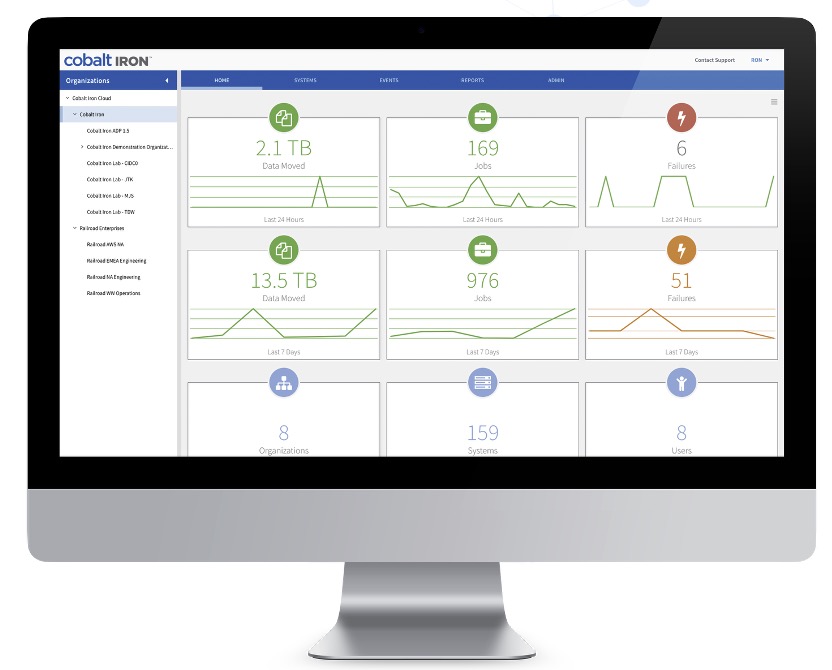
Frequently asked questions
How much backup administration does Compass eliminate?
Do I still need to patch or upgrade Compass?
Is Compass automation an AI assistant?
How much time could your team reclaim with automated backup administration?
Bring your current runbook to a demo. We'll show you which lines disappear.